
For a long time, “decorating text” was a specialist’s job. Install expensive design software on a PC, wrestle with the jargon, and spend half an hour just to get a single piece right. Multi-layer outlines and 3D lettering were simply out of reach for most people.
DecoTecoPop replaces that whole premise. Just open a page in your phone’s browser. Multi-layer outlines (outline lettering), 3D text, gradients, even candle-like melting — all in a few seconds, at your fingertips. And you can redo it as many times as you like.
This isn’t “a slightly handy text app.” It hands the very act of decorating text — once reserved for the few — to anyone with a phone. A working designer explains exactly how it works, right down to the mechanics, with the actual screens alongside. No difficult terms. By the end, you’ll be thinking, “Wow, text can be this free.”
In a sentence: DecoTecoPop turns a font from “characters you just line up” into “living vector clay” you can knead, pile up, and melt. First, here’s how it differs from the old way at a glance.
| The old way | DecoTecoPop | |
|---|---|---|
| What you need | Expensive software + a PC | Just a phone browser — free |
| Multi-layer outlines | Copy and align each layer by hand | Any number, auto-generated with a button |
| Going 3D | Calculate the sides and shadows yourself | Auto-detects the outer contour and extrudes |
| Editing later | Decoration is baked in — no going back | Fully non-destructive; retype anytime |
| Print data | CMYK and PDF as separate work | Print-ready PDF, done automatically |
1. Vectors that move buttery-smooth, inside your phone’s browser
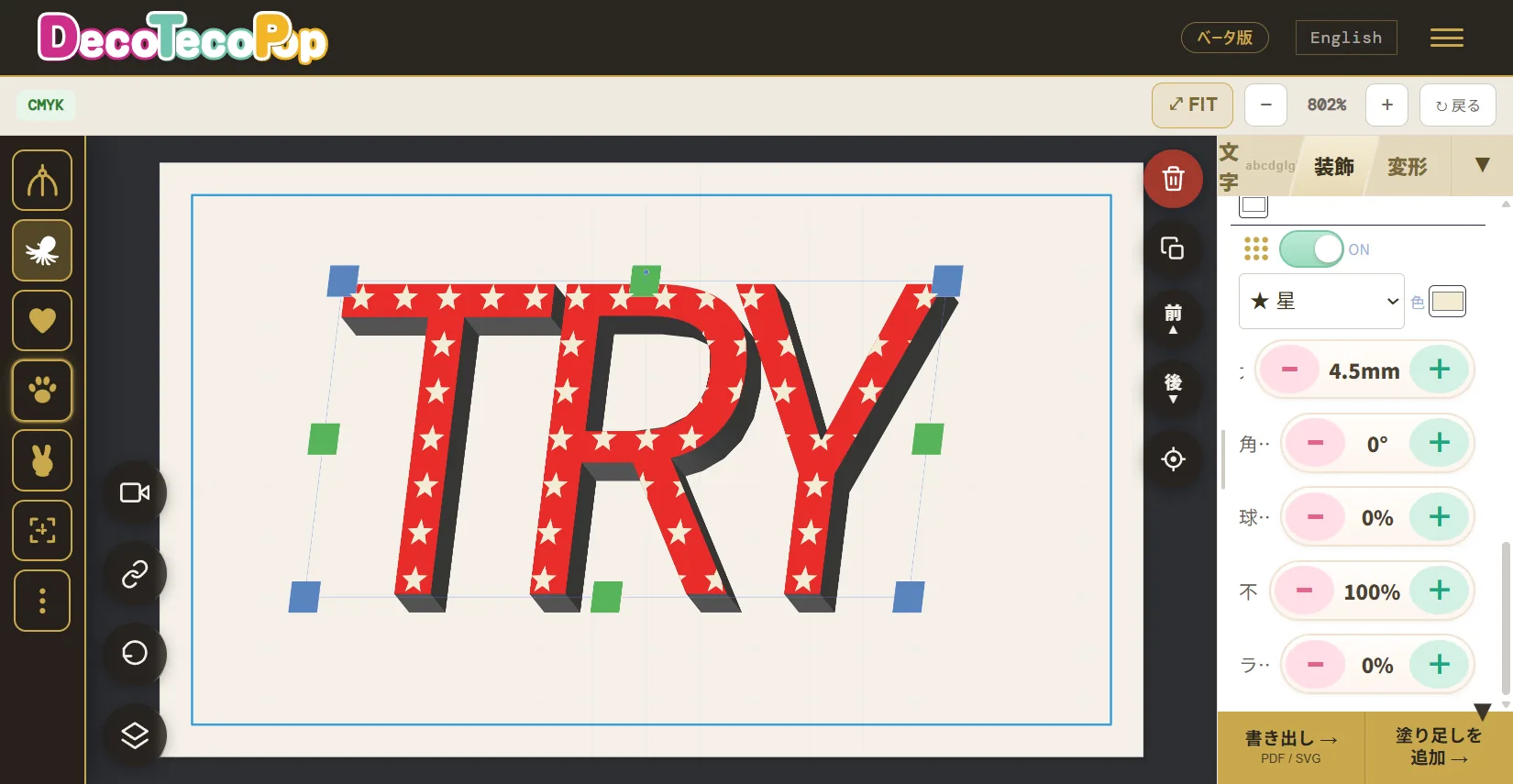
This is the foundation. DecoTecoPop treats text as vectors (shape data), not as a photo (image).
A photo is a collection of tiny dots (pixels), so enlarging it makes the dots show and the edges go jagged. A vector is more like a blueprint — “draw this line from here to here” — so no matter how much you scale it up, the lines stay smooth. That’s exactly why logos, signage, T-shirt prints, and fan-club hand signs — things printed large — are made as vectors. Text you make small on a phone can be blown up to an A2 poster without the edges going soft.
The impressive part is that all this heavy vector processing runs entirely inside your phone’s browser, moving buttery-smooth as your finger does. Work that would normally require dedicated software and a powerful PC happens right in the browser, using new web rendering technology (WebGPU). No app install, no computer needed. Every time you type a word or drag a decoration slider, the result updates smoothly, right there on screen.
For more on how phone-made text still prints cleanly, see Get Exactly the Look You Want: Decorated Text on Your Phone.
2. Multi-layer outlines you can stack endlessly — light and non-destructive
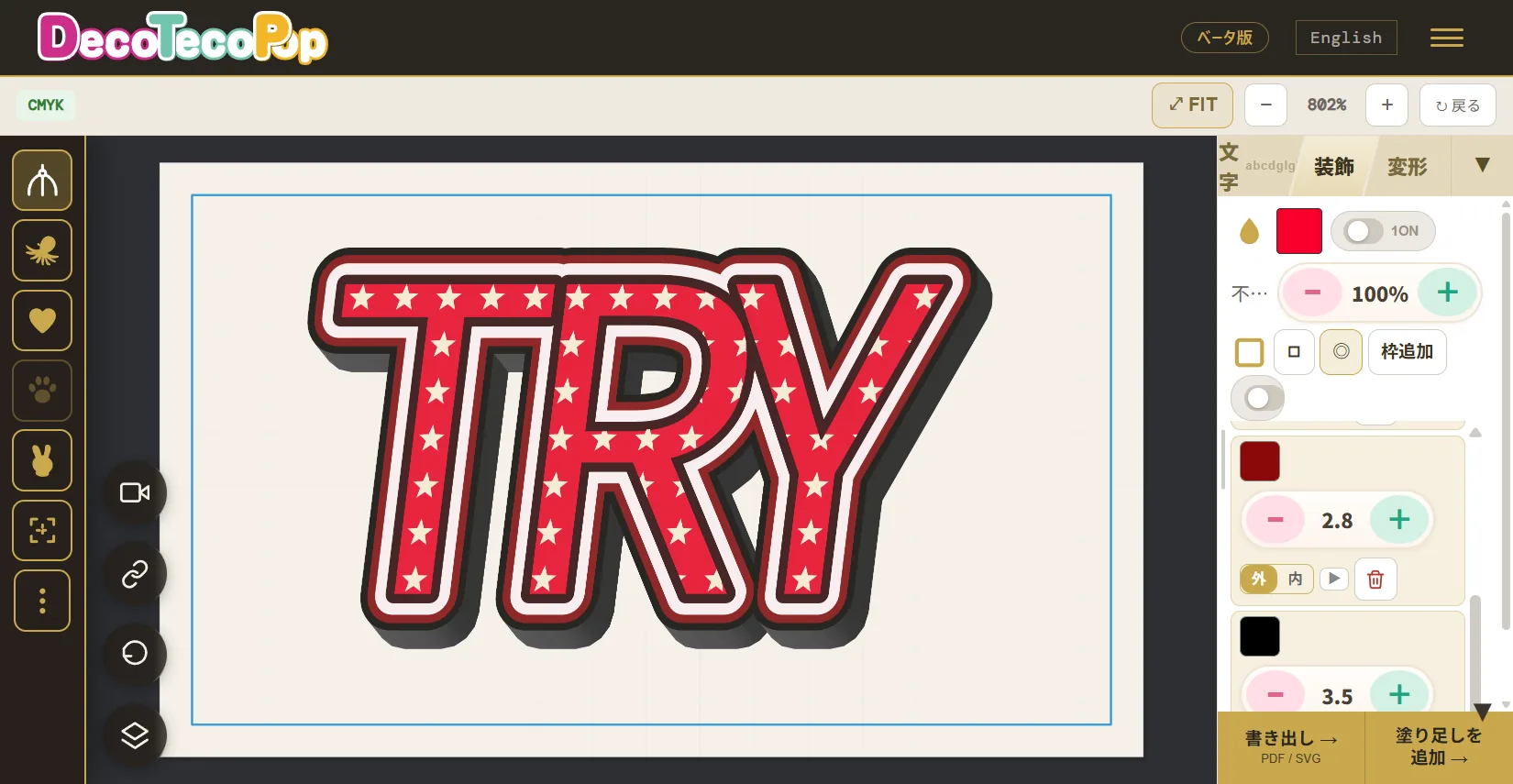
Ever admired text with outlines stacked several layers deep — white outline + black outline + an accent color? It’s the eye-catching lettering you see on price tags, posters, fan-club signs, and YouTube thumbnails. Outline lettering is the go-to technique for making a word stand out — but trying to make it yourself suddenly gets hard.
The trouble is, most apps let you add only one outline. To add a second, you end up copying the same text over and over, growing each copy a little, and lining it up by hand — and the slightest misalignment looks messy. Want to change a color? Start over from scratch.
DecoTecoPop generates outlines as actual shapes, automatically. So you can add “one more, in a different color, on the outside” as many times as you want, with a single button. Because the underlying mechanism is so light, stacking many layers barely slows it down, and you can rearrange the color, width, and order afterward. Add several outlines and then decide “actually, make the outermost one gold” — you just pick that one layer and change its color. That’s what “light and non-destructive, endlessly” really means.
For how to build multi-layer outlines and combine colors, see Print ‘Magic Outline Text’ You Can Stack in Any Color.
3. It auto-detects the “outermost contour” to build 3D
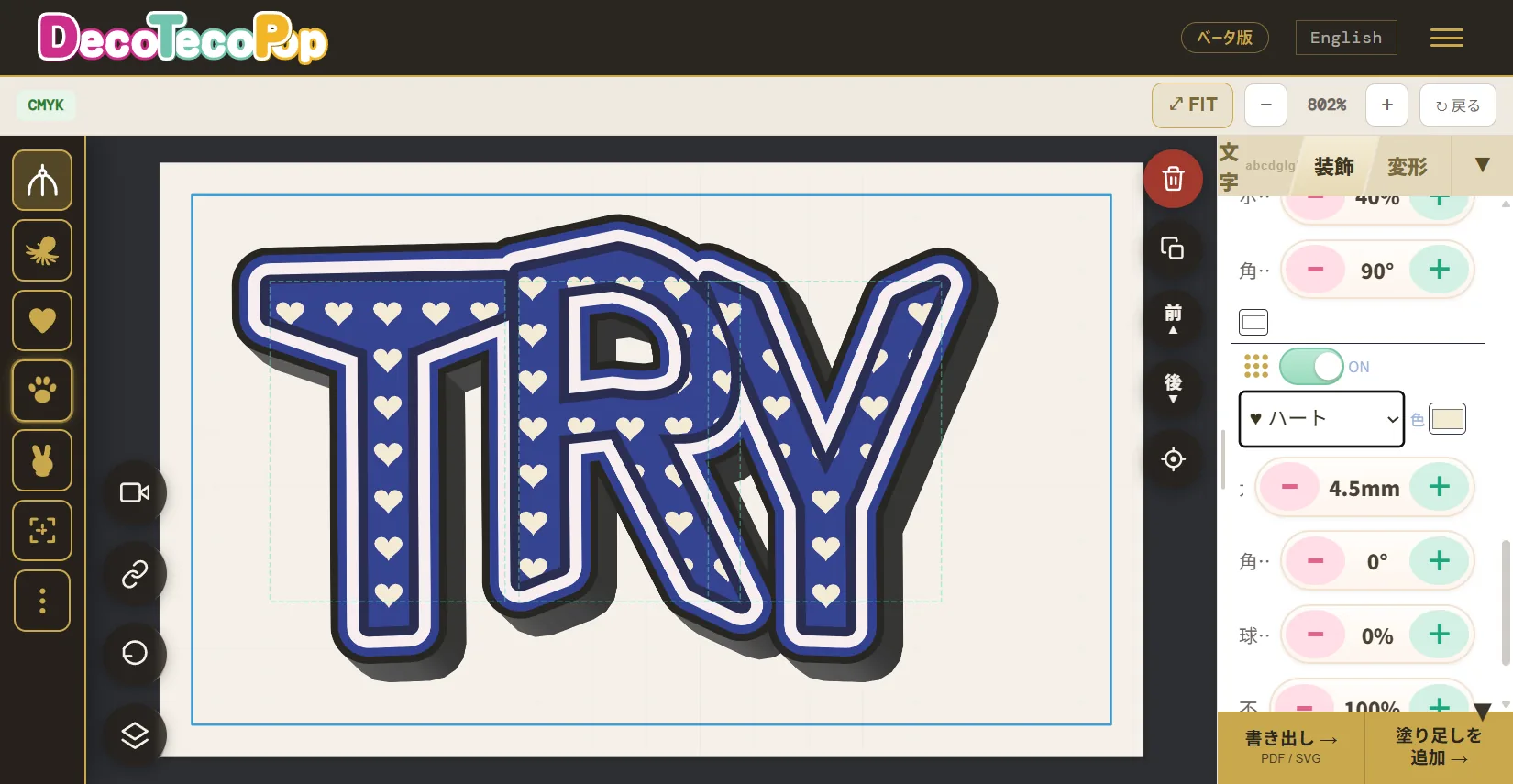
Making 3D text look good is genuinely hard. You have to calculate the sides, the shadow, and the way light falls so the thickness reads correctly — otherwise the shadow drifts or the depth comes out lumpy. Try to add 3D after stacking outlines and patterns, and the shape tends to break depending on what gets treated as the “outer edge.”
DecoTecoPop automatically senses the “outermost contour” from your stacked outlines and complex shapes, then uses that perimeter as the base to build the 3D extrusion. So even maximalist, piled-on lettering — outline it up, then pop the whole thing out in 3D — holds its shape. The tool handles all the fiddly math, so you just press a button and adjust the thickness. Lay down a pattern (dots, stars, hearts) and extrude, and the motif wraps nicely around the sides, too.
For how 3D text works and where it shines, see Pop-Out, Candy-Like 3D Text at the Tap of a Button.
4. Spin it in 3D — and it never breaks
Decorated text usually ends as a single, front-on picture. Not here. Pinch your piled-up 3D lettering and rotate it freely in any direction. Tilt it up and down, swing it side to side — and the faces, the sides, and the way the light falls (the shading) re-render instantly to match.
And what you’re spinning isn’t an image — it’s vector. So no matter the angle, the edges never go jagged; they stay smooth. Stop at an angle you like, and that 3D view becomes your print data (vector), as-is. You can even swap the look — gold, gloss, jelly — while keeping the 3D, so changing only the texture mid-spin is effortless. Tumbling decorated text in your palm like a real object, right inside a phone browser — that “living” feel is exactly why DecoTecoPop is called “living vector clay.”
5. Organic, candle-melting deformation
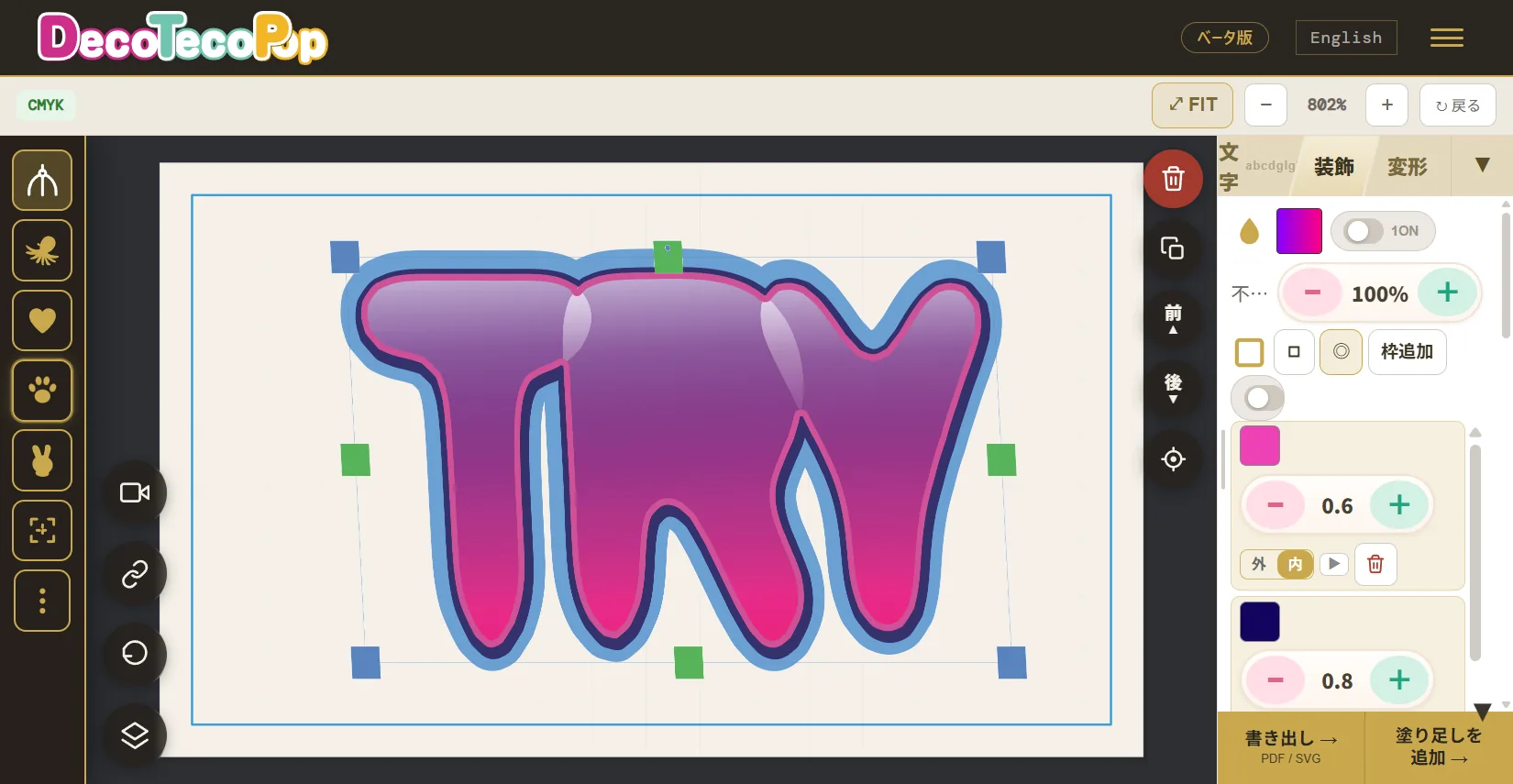
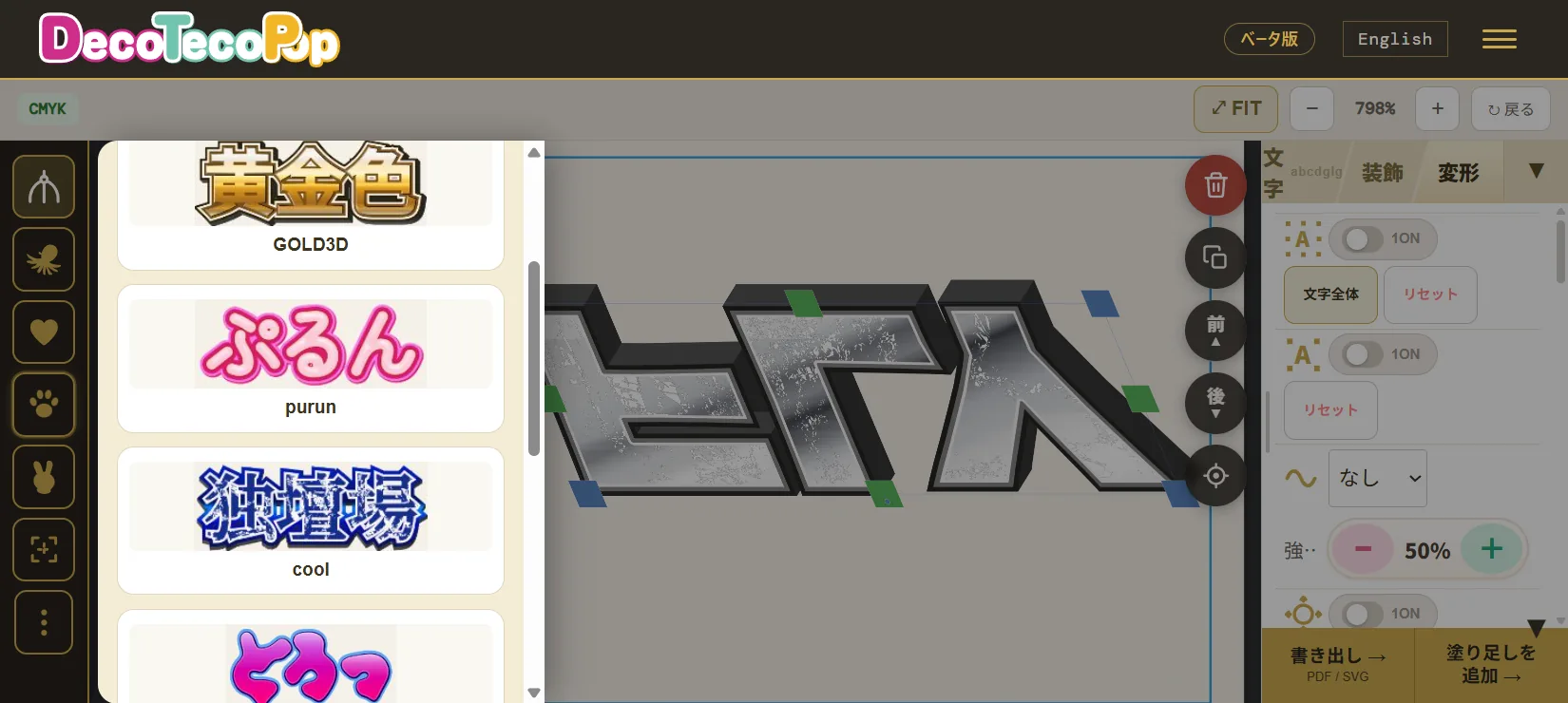
This may be DecoTecoPop’s most distinctive trick. You can make text melt, drip, and undulate organically, as if it were a candle softening in heat — the raw textures of graffiti art or a candy package.
Normally these “soft” transformations are extremely hard to do by hand, and forcing them usually leaves you with an unnatural, just-blurred result. DecoTecoPop calculates the melting motion itself as a change in shape, so even as it drips and sags, the contours stay smooth. That means the edges don’t blur even when enlarged for print. You can adjust the intensity with your finger and undo instantly if you overdo it, so you can confidently try the boldest deformations.
For drippy and puffy textures, see Like Melted Chocolate? ‘Drippy & Puffy’ Text on Your Phone; for free-form reshaping, see Digital Clay: Knead and Stretch Text Freely.
6. Unlike PC software, no install — it runs in Safari
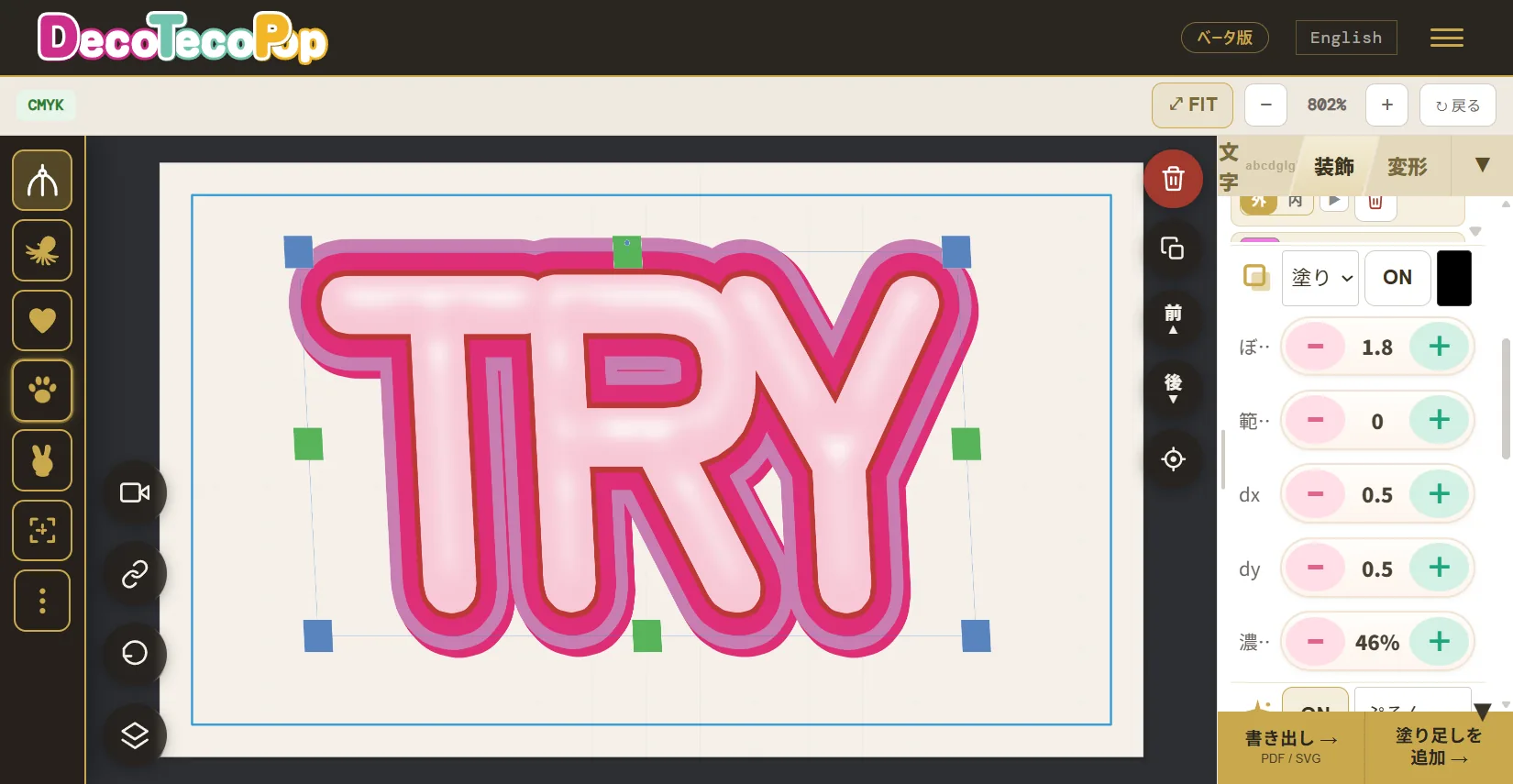
Design software has always meant installing it on a computer, paying monthly, waiting for it to launch, and so on. For someone who only has a phone, or who isn’t confident with software, that alone is a high wall. Plenty of people don’t even have the free storage to install a heavy app.
With DecoTecoPop you just open a web page. It works right away in Safari on iPhone or Chrome on Android — just visit the URL. No account sign-up, no app download. Being able to create “on the phone in your hand, the moment inspiration strikes” is a nimbleness that installed software simply can’t match. Think up the text for a hand sign on the train, make it on the spot, and send it to your home printer or a print shop — that kind of workflow.
For the flow of creating without a computer, see No PC? No Problem! Decorated Text in One Minute on Your Phone.
7. However wild the deformation, you can always retype the text — fully non-destructive
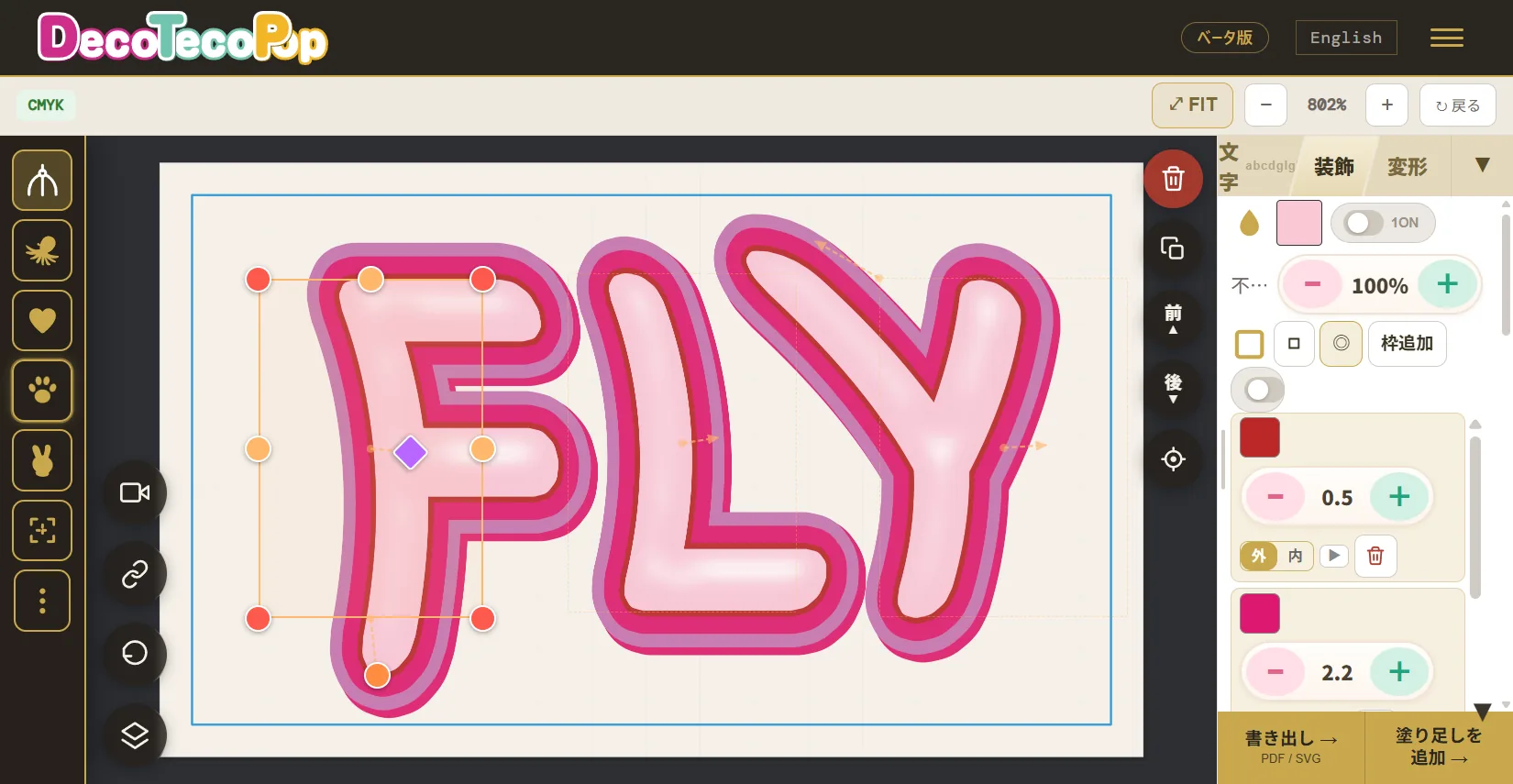
And here is the heart of the philosophy. Make it 3D, stack outlines, melt it like a candle — even after deforming it beyond recognition, the content stays “text.” So you can retype just the words anytime.
Many apps freeze your text into a “picture” the moment you add decoration, so you can’t fix even a single character afterward. Spot a typo after printing, and it’s back to building it from scratch. DecoTecoPop only layers the decoration on top, like clothing — so you can swap the words inside the way you’d change outfits. In the design world, this is called fully non-destructive editing.
Because there’s no “if I touch it again I might not be able to undo it” anxiety, you can play boldly with total peace of mind. Keep one design and mass-produce it with just the name changed; spot a typo after printing and just reopen and retype — that practical strength comes from being non-destructive, too.
For more on this non-destructive freedom, see Decorate Beyond Recognition — and Still Retype the Words.
8. It turned fonts into “living vector clay”
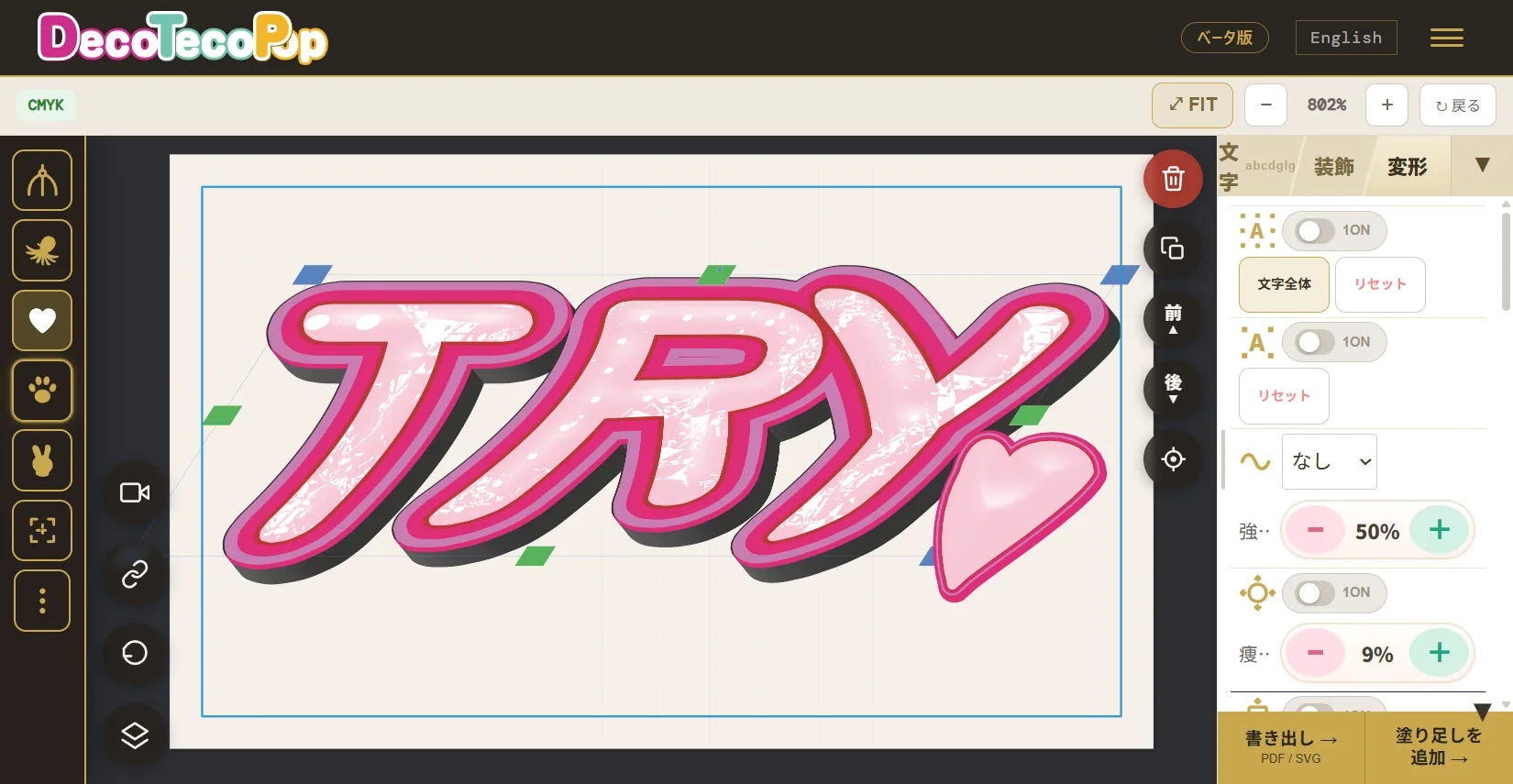
If we sum up those seven points in a sentence: DecoTecoPop turned fonts from “characters you just line up” into “living vector clay.”
Until now, text was something you chose from preset shapes and arranged. Changing the shapes was the domain of experts, and it broke easily. DecoTecoPop turned text into a material you can knead, pile up, and melt like clay — that never falls apart, and can always be retyped. It’s out to erase the old assumption clinging to text itself: that you can only use the shapes you’re given.
And while it behaves like “clay,” the output is always precise vector data. What you make as if you were playing becomes print-quality data as-is — and that union of “freedom” and “accuracy” is the decisive difference from other text-effects apps.
9. What you make is ready to send straight to the printer
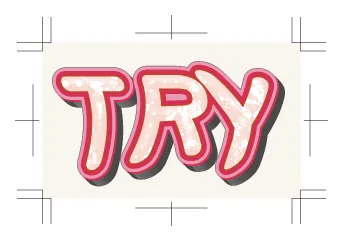
One more crucial point: the decorated text you make here can become print data while staying vector. Conversion to print color (CMYK), the margin that makes outlines print fully (bleed), the crop marks that show where to trim, and the PDF/X-4 file for submission — it all happens automatically. The smooth text you saw on screen prints just as cleanly on paper.
“How do I make submission data?” and “What even is CMYK?” tend to be walls that come before the design itself. DecoTecoPop takes that entire last mile off your hands, so you can focus only on making the text look cool. “Create like you’re playing on your phone, and go straight to submission” — that seamless flow is exactly what DecoTecoPop is built for.
→ Make decorated text for free (Supports PNG / JPEG / WEBP — no sign-up)
FAQ
Q. Does it really run in just a phone’s browser?
Yes. No app install or sign-up needed — just open the page in Safari or Chrome. That said, the text-decoration editing (3D, melting, multi-layer outlines, etc.) needs a newer technology called “WebGPU.” As a guide, that means a newer iOS (iOS 26 or later) Safari on iPhone, or a newer Chrome on Android. On unsupported devices, you can still do basic text placement and create print data.
Q. Is it really free?
Editing decorated text (decorations and deformations) is free, with no limit. Exporting print data (saving a PDF, etc.) is free during the current beta (it’s planned to become paid later).
Q. Won’t the results fall short of professional PC software?
It depends on the use. There are areas where it can’t match the fine-grained control of pro software, but creating “edgy” decoration — multi-layer outlines, automatic 3D, organic melting, fully non-destructive editing — easily on a phone is uniquely DecoTecoPop. And because it’s vector, the print quality is on par with professional software.
Q. What do people use it for?
Stickers, posters, and T-shirt designs; bubble-letter and graffiti-style titles; K-pop fan banners and cheering boards for concerts; price tags and logos for flea-market and handmade goods; title text for social media and YouTube thumbnails; shop signage and menus — anywhere you want text to stand out. Because everything from design to submission finishes on a single phone, it’s especially strong for those “I just need one, right now” moments.
Q. How do I send the data to a print shop?
Just upload the saved PDF when you order from an online print shop. It’s saved in a format the shop can use directly (PDF/X-4), with CMYK conversion, bleed, and crop marks already included.
Summary
- DecoTecoPop moves text as vectors (shape data) buttery-smooth, inside your phone’s browser.
- Multi-layer outlines (outline lettering) stack endlessly, light and non-destructive; 3D is built by auto-detecting the outermost contour.
- Even organic, candle-like melting keeps its contours smooth.
- No install, all in Safari — and however much you deform it, it stays fully non-destructive and retypable.
- The text you make goes straight to a print shop as CMYK, with bleed, crop marks, and PDF/X-4.
“You can only use the shapes you’re given” — that old assumption clinging to text is now a thing of the past. Come feel fonts become “living vector clay” — start with just one character, right at your fingertips.