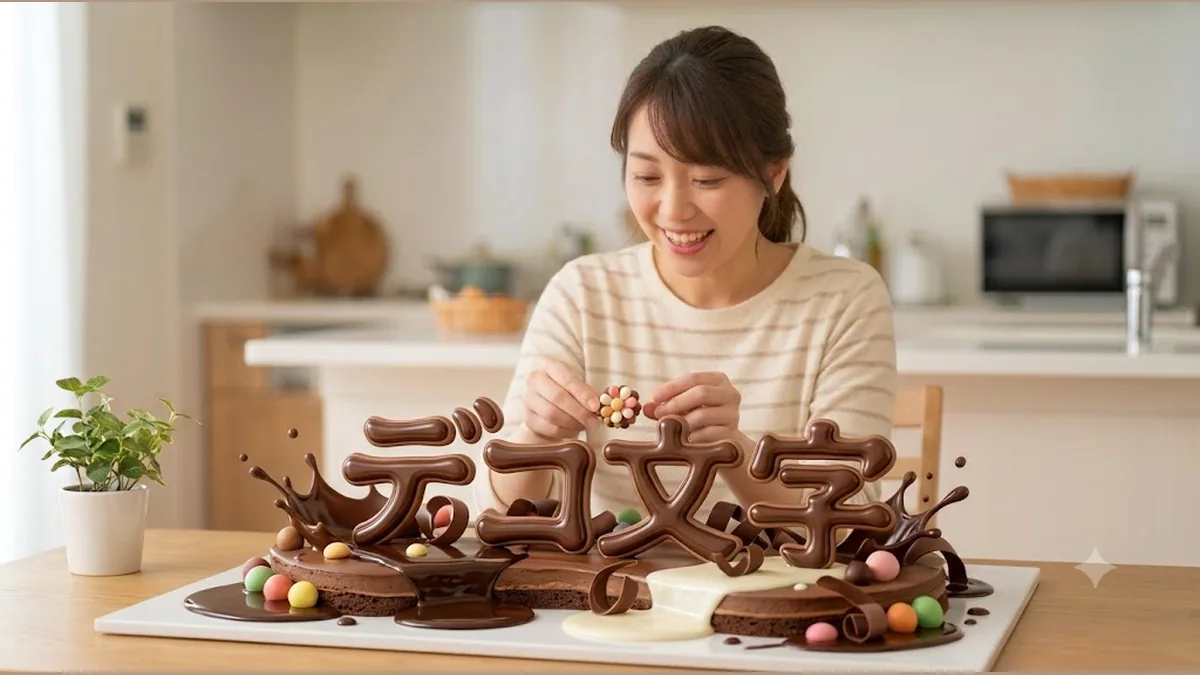
Drippy, chocolate-like letters would be so cute — if only you could make them
A home-café menu, a label for homemade sweets, decorations for a kid’s birthday. Letters that look like melted chocolate — puffy and glossy — are just fun to look at, aren’t they?
“But how do you even make those?” — With nothing but a tap on your phone.
Why couldn’t you make “drippy” or “puffy” text before?
To get that melted-chocolate look, the bottom of each letter has to actually change shape and “drip” downward. And for that puffy, glossy shine, you have to calculate where the light reflects and place a bright highlight in just the right spot.
These soft, flowing changes are very hard to make by hand. Force it, and you usually end up with letters that are just blurred — an unnatural mess.
DecoTecoPop comes with a melting effect that makes letters truly melt and drip, and a puffy effect that gives the surface a glossy shine. You add either one with a tap, and adjust the amount of dripping or the strength of the gloss with your finger.
The strength is up to you — and you can undo it instantly
You decide “a little more melted” or “keep the gloss subtle” right there, watching it change. Go too far? Undo it in a tap, so you can play around with peace of mind.
How you used to make text like this
Professional PC software costs around ¥3,280 a month, needs a PC, and involves a lot of steps. Free blur apps can fake it, but the result looks unnatural and tends to come out rough when printed. A designer will do it beautifully, but that takes both time and money.
You “just want to make something a little cute,” yet it required special know-how.
With DecoTecoPop, it’s 3 steps [Free, no sign-up]
Just open your browser. Drippy or puffy — all by tapping.
Step 1: Type your text
Enter the words you want to decorate. It works fine with no photo, or right on top of one.
Step 2: Add “melting” or “puffy”
Tap to make your letters melt, or give the surface a puffy gloss. Slide the amount of dripping and the strength of the shine with your finger until it’s exactly as cute as you want.
Step 3: Switch to print colors and save
It automatically matches the colors to how they’ll look in print, and adds the bleed so the edges come out crisp. Then it saves a PDF you can hand straight to a print shop.
→ Make drippy text for free (Photos: PNG, JPEG, WEBP / no sign-up)
What “drippy” and “puffy” text suits
Soft, textured letters make “looks delicious / looks fun” come through at a glance. They’re perfect for moments like these:
- Home-café menus: “CAFE” or “Sweets” with a melted-chocolate look.
- Labels for homemade sweets and treats: product names made puffy and glossy.
- Halloween and party decorations: drippy, oozing letters for a slightly wicked vibe.
- Displays for kids: puffy, round letters that feel gentle and friendly.
A little goes a different way than a lot
With “melting” it’s the amount of dripping, and with “puffy” it’s the strength of the gloss — and these change the look quite a bit.
- Subtle: elegant and grown-up. Great for cafés and lifestyle goods.
- Strong: all about impact. Great for events and thumbnails.
If you’re not sure, apply it strongly first and dial it back little by little — that makes the sweet spot easy to find. Since you can undo even if you overdo it, you can experiment without worry. And because you can remake just the decoration as many times as you like while keeping the same words, you can compare different strengths before deciding.
FAQ
Q. Which phones and browsers does it work on?
Editing decorated text needs a device and browser that support WebGPU, a relatively new technology. As a guide: on iPhone, a recent iOS (iOS 26 or later) in Safari; on Android, a recent version of Chrome. On unsupported devices the decoration editor may not open — you can still use the basic text and print-data features.
Q. Is it really free?
Yes — editing and decorating your text (styling and reshaping) is free, always. Exporting the print data (saving as PDF and so on) is free while we’re in beta, and will become paid later.
Q. After melting the letters, can I still retype them?
Yes. No matter how much you melt them, you can retype the letters any time. Even with the shape changed, you’re free to change the words inside.
Q. Can I change the strength afterward?
Yes. Both the amount of dripping and the strength of the gloss can be adjusted as many times as you like, right there as you watch. Don’t like it? Undo it instantly.
Summary
- “Drippy” and “puffy” text used to be out of reach because soft, flowing changes are hard to make
- DecoTecoPop creates both the melting motion and the glossy highlights automatically
- You adjust the strength with your finger, and undo instantly if you overdo it
- Editing your decorated text is always free; converting to print colors and exporting are free while we’re in beta — no sign-up, on your phone alone
Drippy, puffy text is just fun to look at. Try making one and see for yourself.