The short answer
Etsy’s Help Center gives these sizes (Requirements and Best Practices for Images in Your Etsy Shop):
| Banner | Minimum | Recommended |
|---|---|---|
| Big shop banner | 1200 × 300 px | 1600 × 400 px |
| Mini shop banner | 1200 × 160 px | 1600 × 213 px |
Two more rules from the same page:
- File types: .jpg, .gif, .png, .svg or .heic.
- Animated GIFs and transparent PNGs aren’t supported — transparent areas show as solid black.
So make the banner at the recommended size, with a background, and save it as a JPG or a PNG with the background included.
Big banner or mini banner?
Etsy describes the mini banner as “a narrow image” and the big banner as “a large image” (How to Customize Your Shop’s Appearance). Etsy also says the banner shows on the standard website and on mobile devices.
- Mini banner (1600×213): a slim strip — room for your shop name and a short tagline.
- Big banner (1600×400): room for a name, a tagline and a little decoration around them.
Whichever you pick, keep the shop name large and centered, and check how it looks on your phone after you upload it.
Make an exact-pixel banner on your phone
DecoTecoPop lets you set the canvas in pixels, so the file comes out at exactly the size Etsy asks for.
1. Set the canvas to 1600 × 400 px
- Open the editor and tap Design without an image.
- Next to Unit, choose px.
- Tap Custom and enter the width and height — 1600 × 400 for a big banner or 1600 × 213 for a mini banner.
- Tap Continue with this paper.
Pixel canvases are for screens, so there’s no bleed or crop marks to think about.
2. Add a background
Etsy turns transparent areas black, so give the banner a background. You can:
- pick a Background color on the paper-size screen, or
- start by selecting a photo of your products or workspace instead of tapping Design without an image. The photo becomes the background, and you choose px and Custom the same way.
You can also place your logo image on top and remove its background so only the logo shape shows.
3. Decorate your shop name
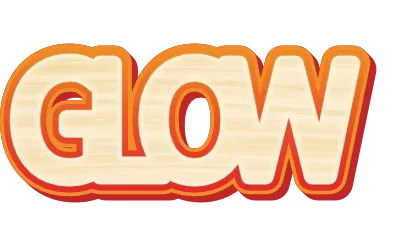
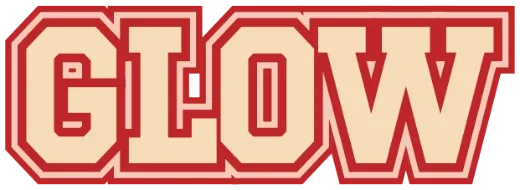
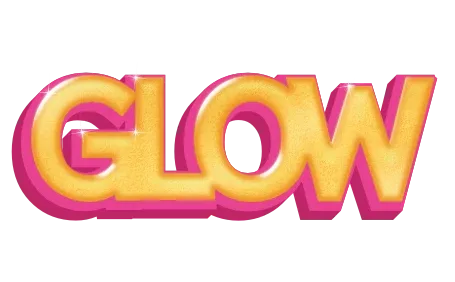
Type your shop name and style it — outlines, 3D, gold or chrome, glitter, neon, gradients or bubble letters. If you want to start from a finished look, pick a style in Select Pop, type your shop name, and tap Customize more to open it in the editor. For a name-only look, the Logo Text Maker is a good starting point.
Keep it readable:
- One big line for the shop name, one smaller line for what you sell.
- Outline the text if it sits on a busy photo. See how to add a white border around text.
- Don’t crowd the edges. Leave some space around the name.
4. Export a JPG or a PNG with a background
When you save, choose JPG or PNG (whole page, with background). Don’t choose the transparent PNG for Etsy — the empty areas would show as black.
The exported file is also your editable file: load it back into DecoTecoPop later to change a sale message or a season’s tagline, then export again.
5. Upload it to Etsy
Following Etsy’s steps (How to Customize Your Shop’s Appearance):
- On Etsy.com, open Shop Manager.
- Click the pencil icon next to your shop name under Sales Channels.
- Select Banner to showcase your brand and listings.
- Pick Mini Banner or Big Banner and upload your image.
- Click Done.
Etsy notes that uploaded images may look a little less sharp because of compression, which is one more reason to upload at the full recommended size rather than the minimum.
Matching images for the rest of your shop
The same text style works for your listing graphics and printed inserts. For thank-you cards and stickers that go in orders, see making stickers to sell and making a text logo with a transparent PNG (transparent is fine for listings and stickers — just not for the banner).
Frequently asked questions
Q. What size is an Etsy shop banner in pixels?
Big banner: at least 1200×300 px, 1600×400 px recommended. Mini banner: at least 1200×160 px, 1600×213 px recommended (Etsy Help Center).
Q. Can I upload a transparent PNG as my Etsy banner?
No. Etsy shows transparent areas as solid black. Export a JPG or a PNG with a background.
Q. What file types does Etsy accept for a banner?
.jpg, .gif, .png, .svg and .heic. Animated GIFs and transparent PNGs aren’t supported.
Q. Is there an Etsy banner template?
Not an Etsy-specific one. Set the canvas to 1600×400 px (or 1600×213 px) and decorate your shop name with any text style.
→ Make your Etsy banner (no sign-up, just your browser)