The short answer
A good office party poster needs two things: a headline people notice from across the room, and the date, time and place they can actually read. You can make one in your phone’s browser:
- Open the editor, tap Design without an image, and pick a size (Letter, Tabloid, 18x24…).
- In Background, lay down gold damask, glitter or something louder.
- Type the headline (“Holiday Party”, “Year-End Bash”) and choose a gold, glitter or 3D style.
- Add the date, time, place and RSVP line.
- Export a PNG, JPG or print-ready PDF and print it.
No sign-up. The same editor makes matching name cards.
What to put on the poster
| Line | Example | Where |
|---|---|---|
| Headline | Holiday Party / Year-End Celebration | Big, top third |
| Date & time | Friday, December 18 · 5:30 PM | Second biggest |
| Place | Conference Room B / restaurant name | Under the date |
| Extras | Ugly sweater contest · gift swap ($20 limit) | Smaller |
| RSVP | Reply to … by Dec 11 | Bottom |
The most common mistake on a party sign is a date that doesn’t match its weekday. Check the day and date before you print.
Keep the wording inclusive if your office prefers it — “Holiday Party” or “Year-End Celebration” works for everyone.
1. Pick a size
Open the editor, tap Design without an image, switch units to inch, and choose:
| Size | Good for |
|---|---|
| Letter (8.5x11) | Break-room board, elevator, email/Slack attachment. Prints on any office printer |
| Tabloid (11x17) | Doors and hallways, if your office copier takes 11x17 paper |
| Poster 18x24 or 24x36 | Lobby or venue entrance; order from a print shop |
| Custom | An easel sign, a specific frame |
2. Lay down a background
In the editor, open Background and pick a look:
- Gold damask or Watercolor + gold — dressy, a little formal
- Glitter, Explosion, Space — loud and festive
- Silk in red or gold — classic holiday color without being busy
Use the sliders to tone it down where the text will sit.
Would rather use a picture you made with ChatGPT or Gemini? Import that image instead of tapping Design without an image. If the AI wrote broken words on it, erase them in MOJIKUI first (how).
3. Make the headline pop
Tap Text, type the headline, and size it with your fingers. Pick a template and it’s applied to the selected text:
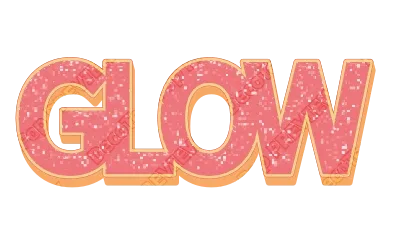
- Gold 3D (like the image above) — reads “party” instantly
- Glitter — end-of-year sparkle (free glitter text)
- Layered outlines — readable even on a loud background
To compare many looks at once, type your headline into the text effect templates, or start from the Gold Text Generator or Christmas Text Generator. More on metallic lettering in gold and chrome text.
4. Add the details
Details are for reading, not decorating:
- A bold, plain font for the date and place
- One white or dark outline if the background is busy
- Make the date and time a little bigger than the rest
5. Export and print
| Printing on | Export |
|---|---|
| Office or home printer (Letter, 11x17) | PNG, JPG or PDF |
| Print shop (18x24, 24x36) | Print-ready PDF with print colors (CMYK), bleed and crop marks |
| Posting in chat or email | PNG or JPG |
The text is exported as shapes, not pixels, so the headline stays crisp even on a 24x36.
Matching name cards (one at a time)
Use the same style for table name cards:
- Pick Business card (3.5x2”), or set a Custom size for a folded tent card.
- Type a name and apply the poster’s style.
- Export.
- Retype the name and export again — repeat for each guest.
The style and layout stay where they are; only the name changes. There’s no guest-list import or mail merge, and no option to arrange several cards on one sheet — print each card on pre-cut card stock, or lay out the exported images with the tool you normally use.
Reuse it next year
There’s no Save button: the exported file is the edit file. Open last year’s PDF, PNG or JPG in the editor and it comes back editable. Change the date and the venue, maybe swap the background, and export.
FAQ
Is there a free office holiday party poster template?
Not a party-specific one, but 160+ text style templates plus editor backgrounds get you there fast: type the headline and pick a style.
What size should an office party poster be?
Letter for a break room, 11x17 if your copier takes it, 18x24 or 24x36 from a print shop for the lobby, or any custom size.
Can I make name cards for every guest at once?
No. Make one, then retype the name and export again for each guest.
Can I reuse the poster next year?
Yes. Open the exported file again, change the date and place, and export.
→ Make your party poster — free, no sign-up, works in your phone’s browser.