The short answer
An AI-made holiday card is usually 90% done. The picture is lovely. The two problems are the shape (it isn’t 4x6 or 5x7) and the words (“Merry Chrismas”, “Happy Holidys”, your last name spelled three ways). Fix both on your phone, then print:
| Problem | Fix |
|---|---|
| The greeting is misspelled | Erase it in MOJIKUI by painting over it |
| It’s not card-sized | Pick Postcard 4x6 or Photo 5x7 as the paper |
| You want your real name and greeting | Type it in the editor and style it — gold, glitter, red and green |
| You need a file to print | Export a JPG for home or a photo center, or a PDF for a print shop |
Ask the AI for a picture, not a card
When you prompt ChatGPT or Gemini, ask for the artwork only:
“A cozy Christmas illustration — snowy cabin, pine trees, warm lights. Portrait 2:3. Leave space at the bottom for a greeting. No text.”
Two reasons:
- 2:3 portrait is exactly the shape of a 4x6 print, so nothing gets cut off.
- No text means nothing to misspell. Image models draw letters as shapes, so names, long greetings and small print are where they slip (more in AI logo generator garbling your text?).
Already have a card with bad text on it? Keep reading.
Step 1. Erase the misspelled greeting (skip if there’s no text)
Open MOJIKUI, choose the image, paint over the words you want gone, and tap Erase text. It runs on your device; nothing is uploaded.
MOJIKUI erases; it doesn’t rewrite. You’ll type the correct greeting in step 3. The full walkthrough is in ChatGPT image has garbled text?
Don’t use it to remove Gemini’s corner mark, a logo, a watermark or any other mark a rights holder put on the image.
Step 2. Tap “Make print data” and pick 4x6 or 5x7
Tap Make print data, switch units to inch, and choose:
- Postcard (4x6”) — the cheapest photo print size, and a perfect match for a 2:3 image
- Photo 5x7 — the classic flat holiday card size
- Custom — any other size your printer or store offers
How sharp will it be? A portrait ChatGPT image is about 1024×1536 pixels:
| Card size | Pixels at 300 dpi | From 1024×1536 |
|---|---|---|
| 4x6 | 1200×1800 | about 256 dpi — sharp |
| 5x7 | 1500×2100 | about 205 dpi — fine in the hand |
If you started from a square image, a 5x7 or 4x6 will crop a lot. Place the picture yourself so the cut lands where you want it, or enlarge it first (see why AI images print blurry).
Keep faces and words at least 1/8 inch (about 3 mm) in from the edge. Borderless printers and trimming eat into the edges.
Step 3. Type your greeting and name
Tap Text and type “Merry Christmas”, “Happy Holidays”, “Season’s Greetings”, your family name and the year. Then style it:
- Gold or glitter for the headline, a simple outline for the names underneath
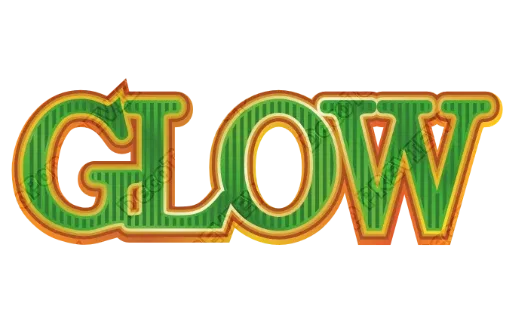
- Red and green with a glossy finish — see the style in the image above, or try the Christmas Text Generator
- Text-only card instead? Start with Design without an image, then use the editor’s Background panel for glitter, gold damask or watercolor-and-gold (it replaces an imported picture, so use it when there’s no AI art)
Because the greeting is typed, not drawn by the AI, it can’t come out misspelled. Want a different message for grandma’s card? Retype it and export again — one card at a time.
Step 4. Export and print
| Where | Export | Notes |
|---|---|---|
| Home printer | JPG or PNG | Set the printer’s paper size to 4x6 or 5x7 and use photo or card stock |
| Photo center (Walmart, CVS, Walgreens) | JPG | Upload it as a print or as a card. Walmart Photo lists 5x7 photo upload cards, flat or folded, with Same Day Pickup for some papers (its premium eggshell stock isn’t same-day). Check options at checkout |
| Print shop | Print-ready PDF | Print colors (CMYK), bleed and crop marks, for larger runs or heavier card stock |
Pickup timing and prices change by store and season; for typical 4x6 print options, see How to print an image from ChatGPT on your phone.
The exported file is also your edit file. Open it again next December, swap the picture and the year, and you’re done.
FAQ
Is a ChatGPT image big enough for a 5x7 holiday card?
About 205 dpi at 5x7 and 256 dpi at 4x6 from a 1024×1536 portrait image — fine for a card you hold. Enlarge it first for anything bigger.
The AI wrote “Merry Chrismas” on my card. Can I fix just the words?
Yes. Erase the words in MOJIKUI, tap Make print data, and type the greeting yourself. The picture doesn’t change.
Can I upload my own design to a photo center as a card?
At many, yes. Walmart Photo lists 5x7 upload cards, flat or folded, some with Same Day Pickup. Export a JPG at the card size and check the store’s paper options.
Why does my card get cropped at 5x7?
5x7 is a different shape from a 2:3 image. Set the paper to 5x7 first and position the picture yourself.
→ Make your card print-ready · Erase misspelled text — free, no sign-up, in your phone’s browser.