The short answer
You can make the whole thumbnail in Banner Pop, in Safari or Chrome on your iPhone:
- Choose Landscape banner (16:9), 1280×720 — it’s labeled YouTube thumbnail in the size list.
- Open the sample with Edit as is and type your title.
- Add a text style, a background and a cut-out photo.
- Export a JPEG and save it to Photos.
This guide is about building the entire thumbnail on the phone. If you already make thumbnails in a video app and only want styled title text as a transparent PNG, see Thumbnail text that reads on a phone. For channel art (the wide image across the top of your channel), see Free banner maker on your iPhone.
YouTube’s thumbnail requirements
| YouTube Help Center | |
|---|---|
| Aspect ratio | 16:9 (Shorts: 9:16) |
| Minimum width | 640 px |
| Resolution | 3840×2160 (Shorts: 2160×3840) |
| Format | JPG, PNG and similar |
| File size | 2 MB from a phone, 50 MB from a computer |
| Who can upload | Your account must be verified |
Source: YouTube Help — Add video thumbnails (checked November 2026)
Banner Pop’s 1280×720 is 16:9 and well above the 640 px minimum. Export at Large (2×) to get 2560×1440, or enter 3840×2160 under Make a custom size (up to 4000 px per side).
The catch on a phone is the 2 MB limit. The bigger the image, the more you should export as JPEG. If the file is still too big, drop the resolution to Medium or Small.
Step by step on iPhone
1. Choose the 16:9 size
Open Banner Pop and tap Landscape banner (16:9) under Social & video.
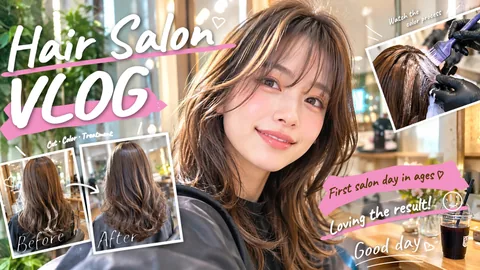
Pick Edit as is to keep the sample’s text and stickers, or Background only to keep just its background.
2. Type the title
Tap Text in the bottom bar, tap the sample text and type. Heavy fonts hold up best when the thumbnail is shown small.
3. Style it
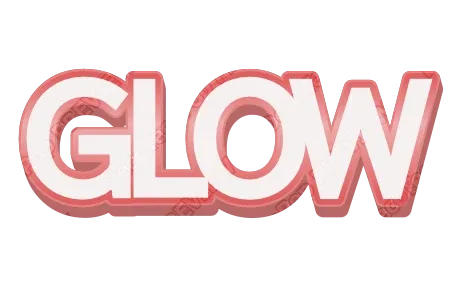
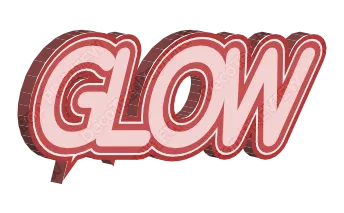
Tap Style inside the Text panel and pick a look: thick stacked outlines, 3D, chrome, glitter. Customize changes the colors, and Shadow adds a soft or sharp shadow. To make one word pop, use Per-letter color & size.
4. Add a photo and a background
- Put a frame from your video or a photo of your face in as the background (Background → From a file → Use a photo as the background), or place it with Add a photo.
- On the cropping screen that opens when you add a photo, Remove background (product only) cuts out just the person or product. Put the cut-out on one side and the words in the empty space.
- Background → Effects adds speed lines, fire, lightning or a sparkle frame just above the background.
5. Export a JPEG
Open Export, choose JPEG, and tap Export. The share sheet opens; save the image to Photos, then choose it as the video’s thumbnail in YouTube (follow YouTube’s Help Center for the current steps).
The exported file keeps its editing data. For the next video, tap Re-edit a file on the first screen, choose last week’s thumbnail, and retype the title — same look, new words.
Making it readable at feed size
Your file is 1280 px wide, but in a phone feed it’s often the size of a fingertip. Design for that size.
- Three words or fewer. The rest belongs in the video title.
- Heavy font. Thin strokes disappear when shrunk.
- One thick outline beats several thin ones.
- Contrast in brightness, not just color: yellow letters with a black outline, white with a dark outline.
- Keep the bottom-right corner clear — the video length sits there in the feed.
- Test it small. Pinch the exported image down in Photos. If you can’t read it at a glance, cut a word or thicken the outline.
More detail on each rule: Thumbnail text that reads on a phone. For a 3D title you can drop into any editor: How to make 3D text.
FAQ
Can I make a YouTube thumbnail on my iPhone without an app?
Yes. In Banner Pop, choose Landscape banner (16:9) at 1280×720, add your title and photo, and export a JPEG.
What size is a YouTube thumbnail?
YouTube’s Help Center: 16:9, at least 640 px wide, JPG or PNG, under 2 MB from a phone (50 MB from a computer), with a listed resolution of 3840×2160. 1280×720 meets the ratio and width.
My exported thumbnail is over 2 MB. What do I do?
Export as JPEG, or pick the Medium or Small resolution.
Why can’t I upload a custom thumbnail?
YouTube says your account must be verified to upload custom thumbnails.
→ Make your thumbnail with Banner Pop (no sign-up, just your browser)