
Orange Gold Trim Text Generator
This font does not have those characters.
Some characters are missing from this font, so a substitute font was used.
Download
For print files (PDF), use Customize more to open the editor.
Orange Gold Trim text generator: type any words, get 3 outline layers, 6-color gradient. Free PNG/SVG, print-ready PDF and Cricut/Silhouette cut files.
Make Orange Gold Trim text with your own words
- Type your words above and tap Make it — the same outlines, colours and effects are rebuilt around your letters.
- Adjust the colours, size or spacing if you like.
- Download a transparent PNG, an SVG or a JPG. For a print-ready PDF or a cut file, tap Customize more to open the editor. No sign-up.
More styles: Logo Text Maker · 3D Text Generator · Outline Text Generator · Text SVG for Cricut · T-Shirt Text Generator · Name Decal Maker
Where this one works
Orange Gold Trim is built for heat-transfer designs for T-shirts and totes, die-cut stickers, and team or family-reunion shirts. The stacked outlines keep the shape readable from across a room. Strong colours and clear outlines stay readable from a distance. Because the words stay editable, it is quick to run off a set with different names on each one — the usual reason a design gets made twenty times.
How this look is built
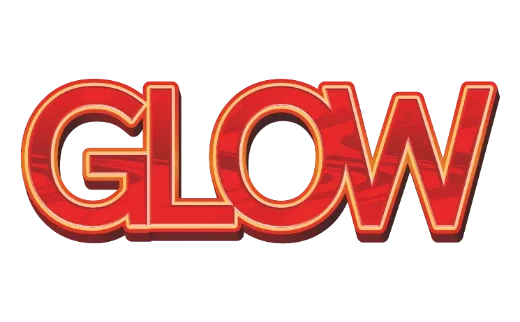
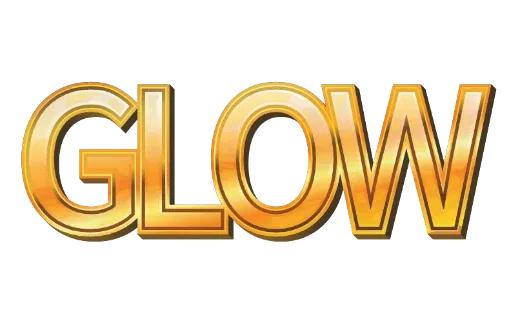
- 3 outline layers (outermost first)
- #d88322about 4.1% of the letter height
- #f0b470about 2.6% of the letter height
- #5a3307about 1.8% of the letter height
- 6-colour gradient (78° angle)
- #d88322
- #ffe499
- #ff7b00
- #fafba2
- #ff8800
- #ffdd00
- Extruded depth
- medium, extruded to the lower right
- Gloss highlight
- moderate, over about half the face
- Surface texture
- flame, moderate
Tips for using it
- The thinnest outline is about 1.8% of the letter height. Thin strokes tear easily when cut from vinyl, so scale the whole design up if you plan to cut it small.
- Gradients and gloss come through as-is in print (PDF or PNG). A cut file is split into flat colour layers, so the colour count decides how much assembly work it is.
- The extruded faces export as their own colour, so plan for one more layer when cutting.
Cutting it from vinyl
- Tap Customize more to open it in the editor and export the SVG as a cut file. It is split into flat colour layers — at least 5 here (the fill, 3 outlines, the extruded face) — with overlapping letters already welded and the text turned into outlines, at true size.
- Cut one sheet of vinyl or HTV per layer — at least 5 colours in total. Upload the SVG to Cricut Design Space as-is (Silhouette Studio opens SVG in Designer Edition and up); nothing needs to be offset or welded again.
- Apply from the back: the outermost outline first, then each inner layer, and the letter fill last on top.
- Gradients, gloss and texture become flat colour in a cut file. To keep that look, use the print-ready PDF or PNG and cut around it (print then cut).
No Illustrator or paid Canva plan needed — the outlines, the print-ready PDF and the cut file all come from this page, free. Compare: vs Illustrator · vs Canva
What you can export
- PDF — print-ready, letters stay as shapes
- SVG — vector, sharp at any size
- PNG — transparent background, for videos, photos and social media
- Cut file — SVG split into flat colour layers
PNG, SVG and JPG download right here; the PDF and the cut file come from the editor (tap Customize more).
Questions about Orange Gold Trim
Is Orange Gold Trim free to use?
Yes. Type your words and download a transparent PNG or an SVG with no sign-up. The print-ready PDF and the cut file come from the editor (tap Customize more). Free while in beta; what you make is yours to use under our Terms.
Does Orange Gold Trim stay sharp as an SVG?
The letters and outlines and the 3D sides are vector paths, so they stay sharp at any size. The flame is placed inside the SVG as an image.
How many vinyl colours does Orange Gold Trim need?
At least 5: the fill, 3 outlines and the extruded side. The cut file makes a layer for each colour, so a shaded 3D side or letters in several colours add more layers. Gradients, gloss and texture become flat colour in a cut file.
Can I change the colours of Orange Gold Trim?
Yes. Tap Customize more to open it in the editor and change the fill, each outline and the effects. Your words stay editable, and the downloaded file keeps the editing data so you can open it again later.
Style notes: Layered outline, 3D, Gloss, Gradient